> For the complete documentation index, see [llms.txt](https://docs.favorlet.io/llms.txt). Markdown versions of documentation pages are available by appending `.md` to page URLs; this page is available as [Markdown](https://docs.favorlet.io/english/about/scanner.md).
# FAVORLET scanner
Use FAVORLET scanner to verify holders easily and conveniently offline.
## MAIN FEATURES
■ **Easy collection address registration**
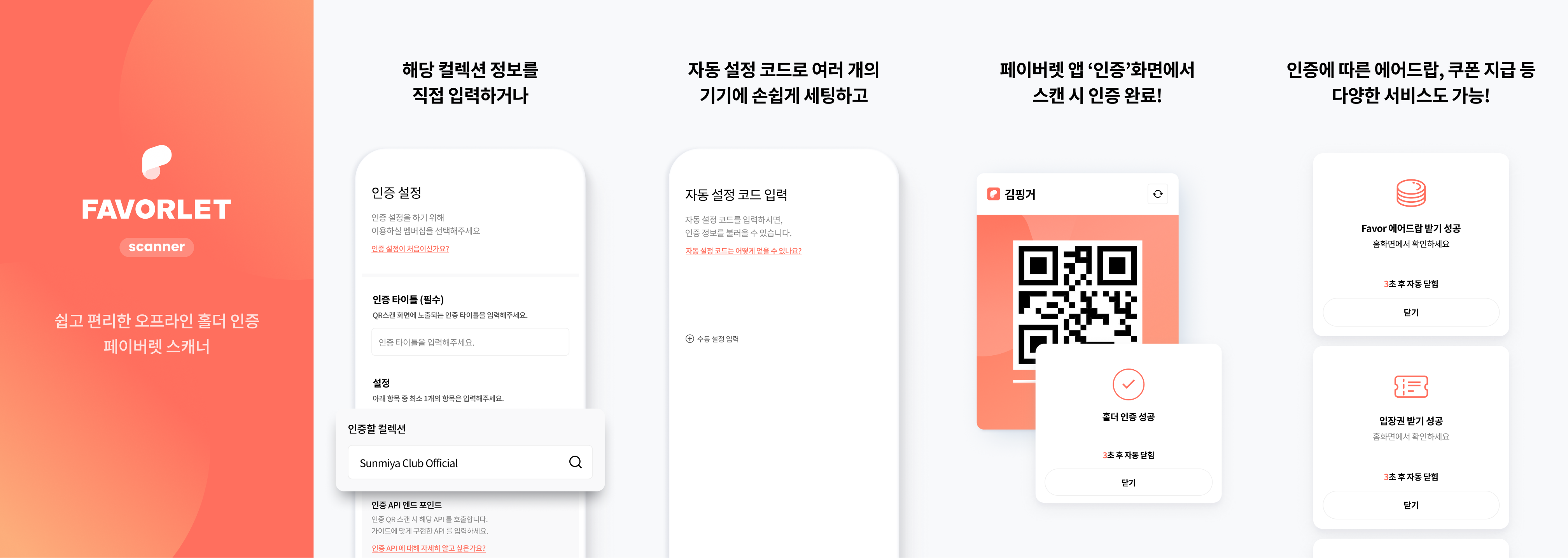
By entering name of NFT collection, you can register NFTs for holder verification.
■ **Simple holder authentication through QR scanning**
You can easily verify the holder by scanning the verification QR of FAVORLET with a scanner.
■ **Product payment through holder verification**
Automatic payment of products (coins, coupons, tickets, etc.) is possible upon completion of account/holder verification.
## OFFICIAL LINKS
▶ Website:
▶ FAVORLET (Wallet)\
Google Playstore: \
Apple Appstore: [https://apps.apple.com/kr/app/페이버렛/id6443620205](https://apps.apple.com/kr/app/페이버렛/id6443620205?l=kr)
▶ FAVORLET scanner\
Google Playstore: \
Apple Appstore: